Introduction
AWS has quietly introduced something that has the potential to profoundly alter how we engage with cloud billing data: the AWS Billing Cost Management MCP server. This is more than just another API wrapper; it is a link between conversational AI and AWS cost data that has the potential to transform how teams manage and optimize their cloud spending.
In this article I will explain how to utilize the MCP server with either your code (Python) or Claude Desktop to retrieve conversational cost and billing-related inquiries. It also offers recommendations depending on the bill.
Method 1: Local Development with Python and VSCode
This method shows the technical approach with code examples.
It includes a complete Python client implementation.
Perfect for developers who want to integrate this into existing workflows or build custom applications.
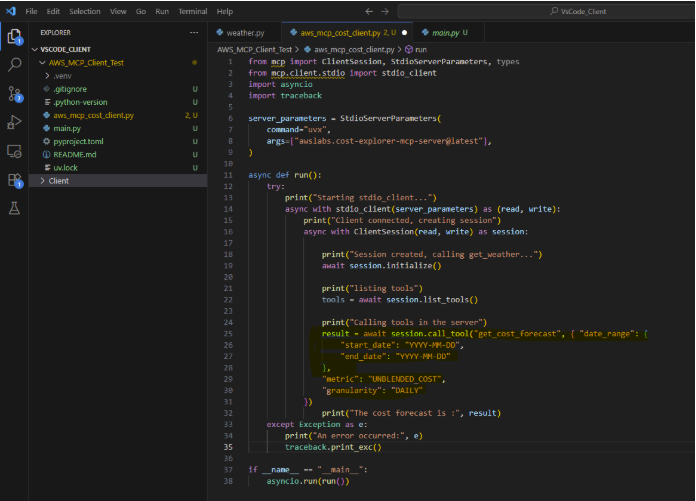
Lets start on how we can develop our own MCP client (in local) and integrate with the AWS MCP Server:
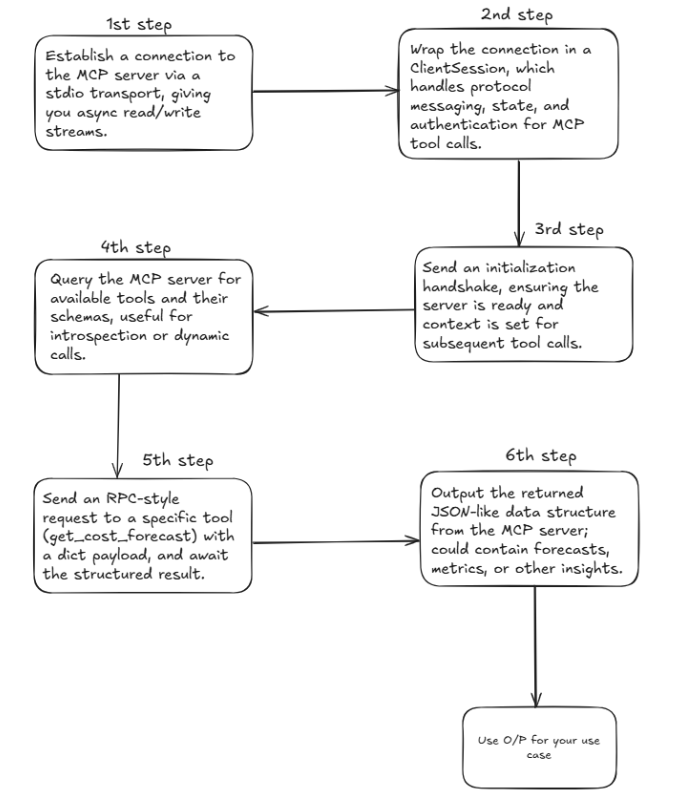
Step by Step flow
a. Code for MCP client
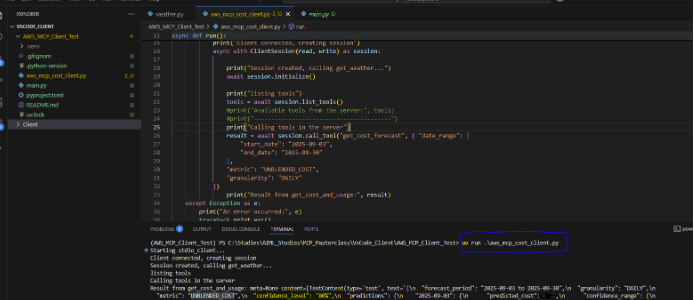
b. Now run the above code to test the scenario
Method 2: Claude Desktop Integration
This approach provides the user-friendly, no-code experience.
It shows the JSON configuration needed and emphasizes natural language query capability.
Great for business users, analysts, and anyone who prefers conversational interfaces.
Another way of using the same is through Claude Desktop
https://claude.ai/download
The setup is surprisingly straightforward.
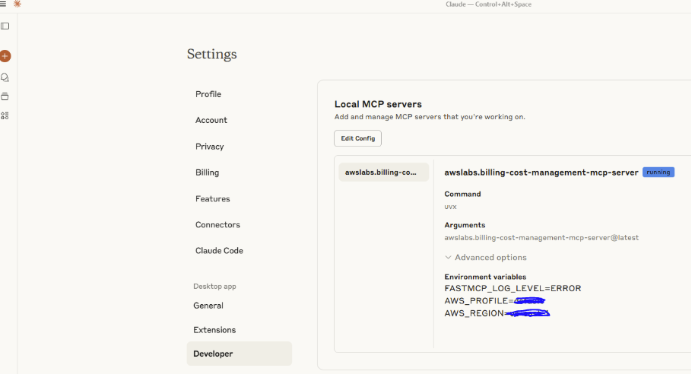
a. Update the claude_desktop_config.json with the following data
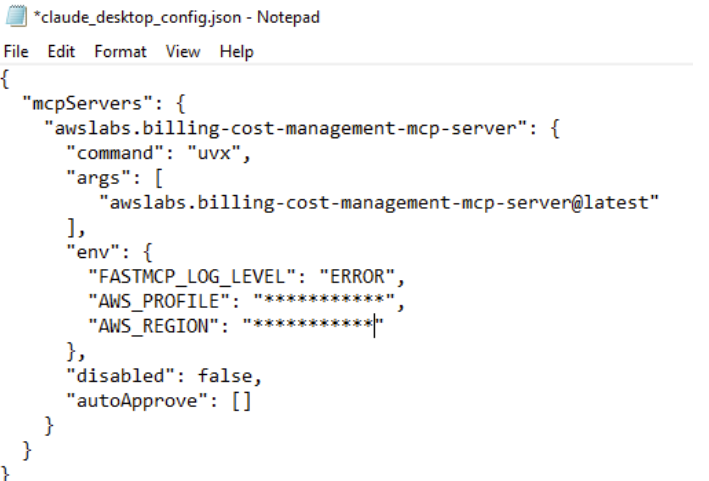
b. Restart Claude Desktop
After restarting Claude you can check the server is up and running.
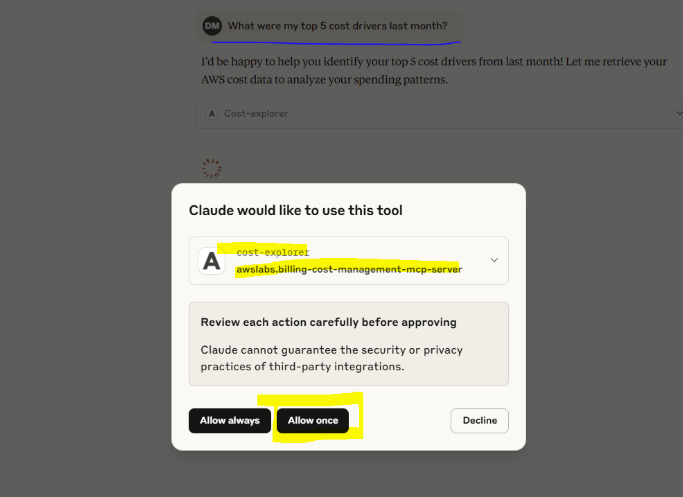
c. You are now ready. Run the commands in natural language to check the effect
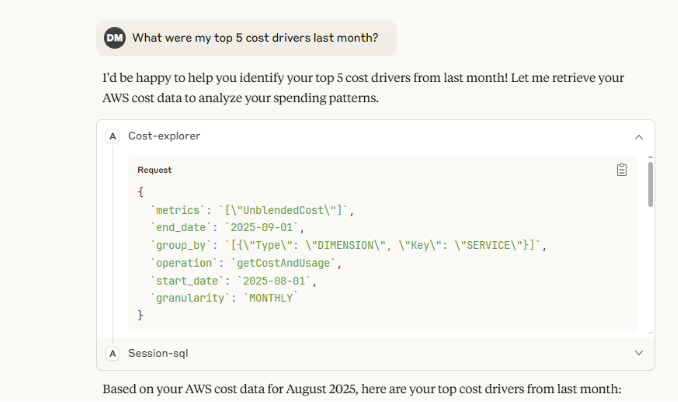
d. You can inspect how the calls are hitting the MCP server and how the response is coming back
e. Viola! You can see the result and interact with the server in natural language
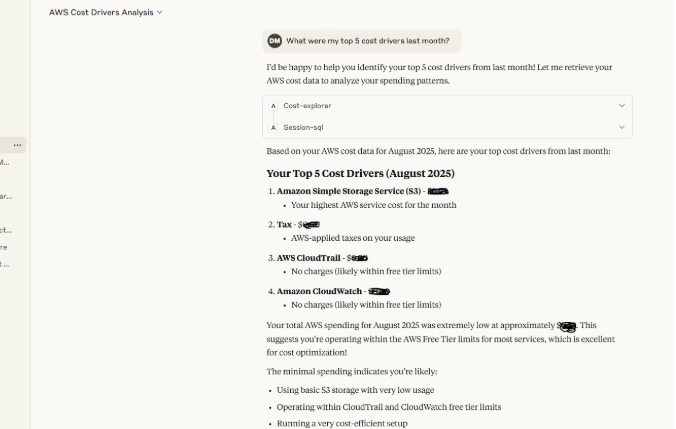
f. You can also request use-case-specific recommendations
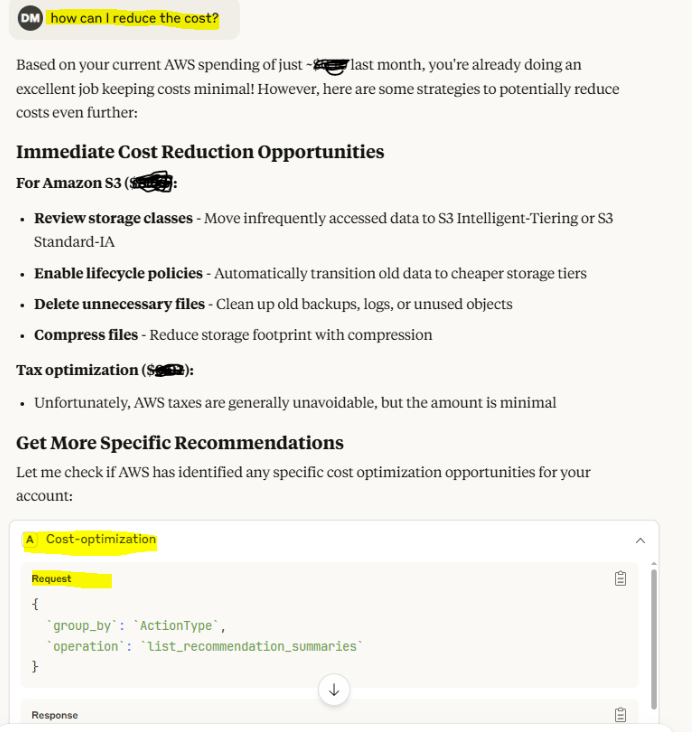
Congratulations! You have now created your own personal AWS Cost Management Assistant.
Why This Matters
Proactive Cost Management
Set up AI-powered alerts and regular cost health checks that provide context, not just numbers.
Democratized Cost Visibility
Less reliance on Cost Explorer’s interface. Anyone can ask budget questions and get instant, mostly accurate answers.
Faster Decision Making
When planning new workloads or optimizing existing ones, get immediate cost insights.
I am excited to see how it evolves. The possibilities of AI-driven cloud management and governance are expanding rapidly.
Conversational cloud cost management brings FinOps to where people already work (Slack/Teams). By combining AWS services, you can shift from passive dashboards to active chat-driven insights and action. If you want to discuss building this in your environment or dive into a detailed roadmap send me a message or book a slot via my calendar.